My method starts before the first move
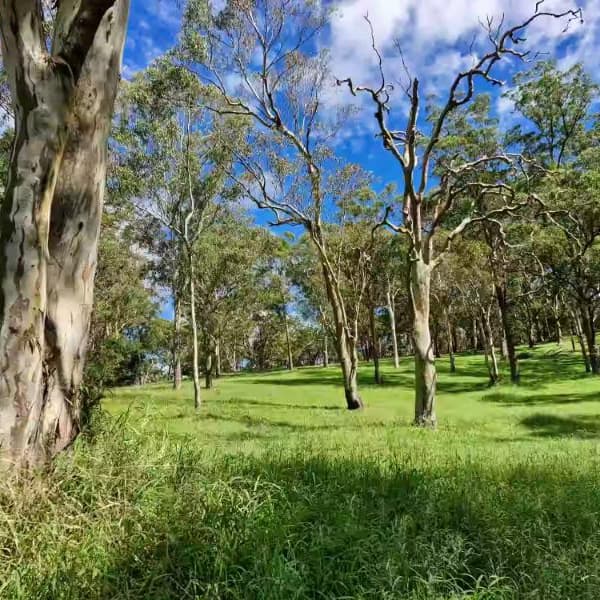
When I solve a browser jigsaw, I do not begin by dragging the first attractive piece I see. I first study the reference image for a few seconds and divide it into visual regions. In Whispering Woods, for example, I can separate the bright path, vertical tree trunks, green foliage, and darker shadows. That gives every loose piece a possible destination before I touch it.
I treat speed as a result of making fewer uncertain moves. Moving faster helps very little if I repeatedly test pieces in the wrong region.
I choose difficulty from the image, not only the label
Piece count matters, but it is not the whole difficulty. I expect a puzzle to take more work when it contains:
- Large areas with nearly identical colour, such as open sky or water.
- Repeated details, such as windows, flowers, leaves, or carpet motifs.
- Soft gradients without clear boundaries.
- A crowded scene with many small objects.
That is why I would not compare images from the same broad category as if they were equivalent. Baker's Falls has strong water and rock boundaries; Jungle Canopy repeats similar greens across much of the image. I use the listed difficulty as a starting point and the image structure as the final test.
I build anchors instead of searching randomly
My first useful groups are the easiest parts to identify with confidence. These might be a bright red object, a face, a building edge, a line of text, or a sharp horizon. I assemble those small islands and use them as anchors for nearby pieces.
For a conventional physical puzzle, edge-first solving is often useful. On a rectangular browser board, however, the best first target can be a distinctive interior region. I choose whichever group gives me the strongest visual certainty. The goal is to reduce the unknown area quickly.
I sort with three questions
When I inspect a piece, I ask:
- What is its dominant colour?
- Does it contain a line, texture, or recognisable object?
- Where does that feature appear in the reference image?
Colour alone is often too broad. A blue piece might belong to sky, water, glass, or a painted sign. A diagonal white line across that blue is much more informative. I look for combinations of colour and structure.
On busy images, I sort at two levels. I first group by region, then split a region by texture or direction. For Times Square, I might separate bright signs from dark buildings, then divide signs by colour and lettering. This keeps one crowded pile from becoming another crowded pile.
I use empty space as information
Once an anchor is placed, every exposed side becomes a smaller search problem. Instead of asking where any of the remaining pieces belongs, I ask which piece continues a particular line or colour at one open position.
I also pause after completing a recognisable region. The board has changed, and my original mental map may now be outdated. A short rescan often reveals a piece that was previously hard to classify.
I handle repeated patterns by narrowing the comparison
Persian Carpet, sunflower fields, foliage, and city windows can defeat object-based recognition because many pieces look plausible. I stop trying to name the object and compare smaller signals:
- The direction of a border or stem.
- The transition from light to shadow.
- The density and scale of a repeated motif.
- A slight change in background colour.
- The distance between two visible lines.
I compare candidates against one open location, not against the whole image. This turns a vague visual search into a constrained matching task.
I use hints as a recovery tool
I do not treat a hint as cheating. I treat it as a product feature with a specific purpose: breaking a stall. If I am still making meaningful placements, I keep solving. If I have scanned the remaining pieces more than once without learning anything, I use one hint and then study why that piece was difficult.
That last step matters. I ask what clue I missed: a subtle gradient, an unexpected location, or a mistaken assumption about the image. A hint is more useful when it teaches me how to classify the next few pieces.
I practise one skill at a time
Trying to improve everything at once makes progress hard to judge. I use a focused session instead:
- On one puzzle, I concentrate on identifying anchors.
- On another, I practise sorting gradients.
- On a repeated pattern, I focus on line direction.
- On a familiar image, I reduce unnecessary piece movement.
I compare only similar attempts. A completion time on the 25-piece Hot Air Balloons board says nothing useful about the 144-piece New York City board. If I track time, I compare the same puzzle or puzzles with similar piece counts and visual complexity.
My compact solving sequence
My full process is simple: I preview the image, identify its regions, build the clearest anchors, expand from open sides, rescan after each completed area, and use a hint only when a genuine stall begins. I do not promise a universal ten-minute result because screen size, input method, image complexity, and piece count all change the task.
What I can control is the quality of each decision. Better visual sorting produces less searching, fewer speculative moves, and a more satisfying solve.
Related puzzles
I recommend Whispering Woods for clear regions, Jungle Canopy for repeated greens, and Persian Carpet for pattern practice.